
Your practice runs on follow-through.Give operations a memory.
Referral relationships, vendor agreements and administrative commitments should not depend on one person remembering the next step. Explore the practice workflow and the patient-interface demonstration below, then review the requirements for your use case.
Current scope: Emerson does not have a signed BAA today and is not offered as HIPAA-compliant. Patient screens below use synthetic demonstration data. Keep PHI, including patient intake and communications, in approved systems.
See the workflow with demonstration data.
Marisol Vega is a demonstration patient, and everything on her chart is the software. Identity and allergies at the top, diagnosis and medications under it, vitals trending across the visits, what was given this morning, and the workflow rail down the right showing exactly what is still outstanding. One scroll. No clicking through to find out whether the consent came back.
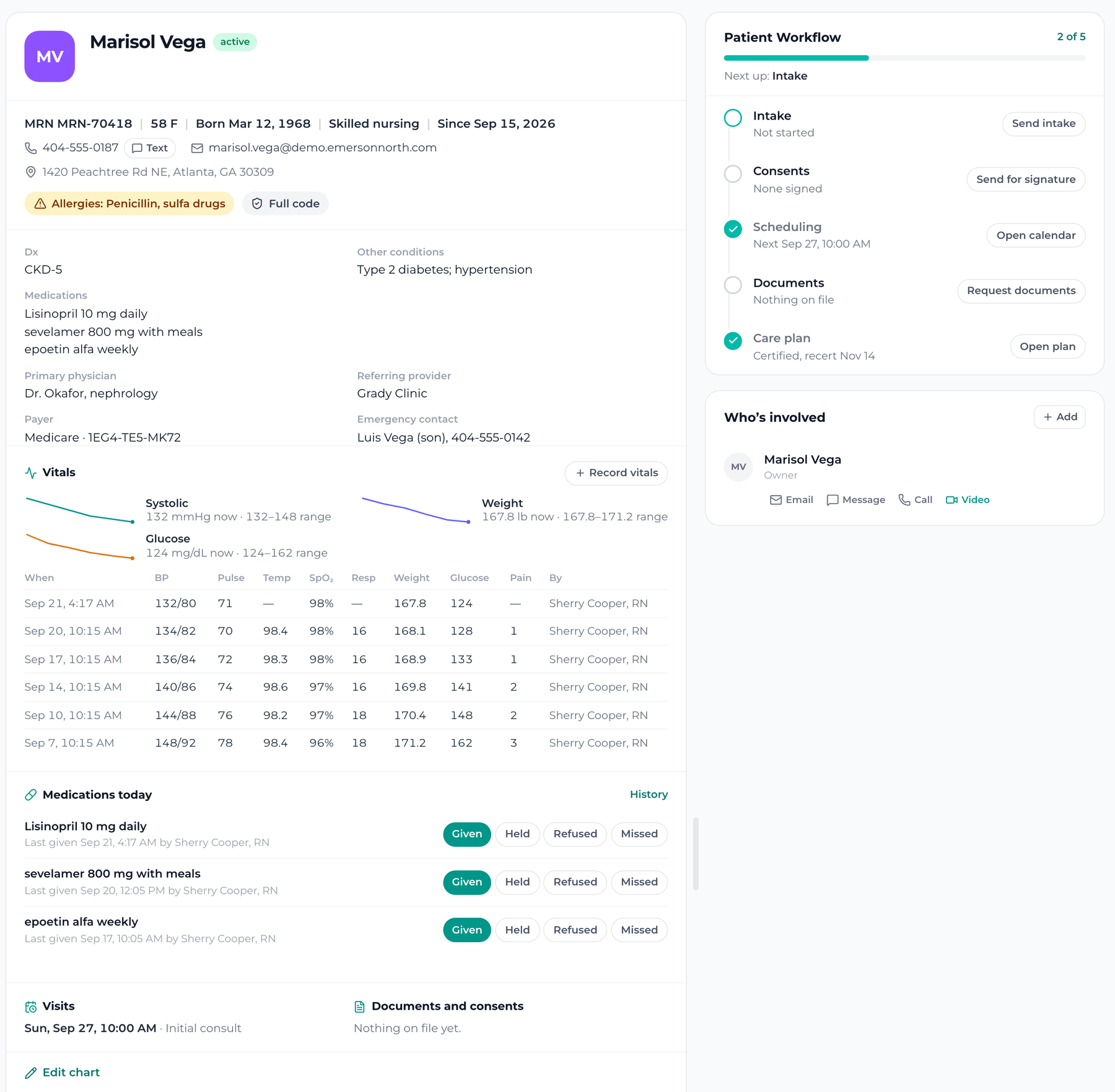
Identity and safety
MRN, date of birth, sex, care level, allergies and code status, above the fold and impossible to miss.
Diagnosis and medications
Primary diagnosis, other conditions, the medication list, the physician and the referring clinic.
Vitals per visit
Systolic, glucose and weight trending, with every reading and the clinician who took it.
Medications today
Given, held, refused or missed, in one tap, with who gave it and when.
The workflow rail
Intake, consents, scheduling, documents and the care plan, with what is outstanding on each.
Money and family
Payer, member ID, emergency contact and who is involved, with a way to reach each of them.
The first ten seconds, answered before anybody asks.
Not a contact with a phone number and a note field. MRN, age, care level, allergies and code status are pinned to the top of the record, and the fields under them are yours to define, so the chart matches how your practice works rather than how a CRM imagined it.
- Identity: MRN, date of birth, sex, home address, emergency contact.
- Safety: allergies and code status, pinned where nobody can miss them.
- Clinical: primary diagnosis, other conditions, active medications.
- Care: care level, primary physician, referring provider, start date.
- Money: payer, member ID, what is billed and what is still owed.
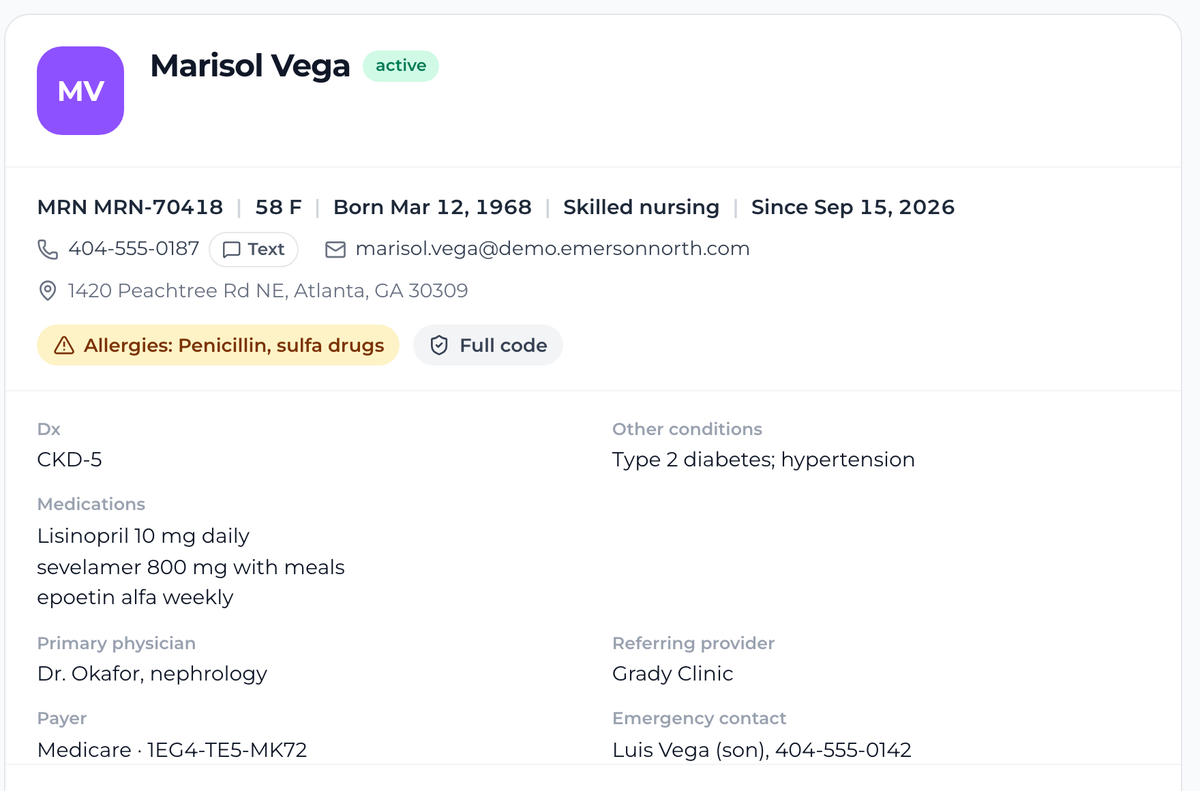
A trend line, and every reading behind it.
Systolic coming down over five visits is a sentence you can say to a physician. A column of numbers is not. The trends sit at the top of the vitals block and the full table sits under them, so the shape and the evidence are in the same place.
- Systolic, glucose and weight drawn as a trend, not buried in a table.
- Every reading kept: BP, pulse, temperature, SpO2, respirations, weight, glucose, pain.
- The clinician who took each set, on the row, so a question has somebody to ask.
- Record a new set from the chart itself, in the room, without leaving the patient.
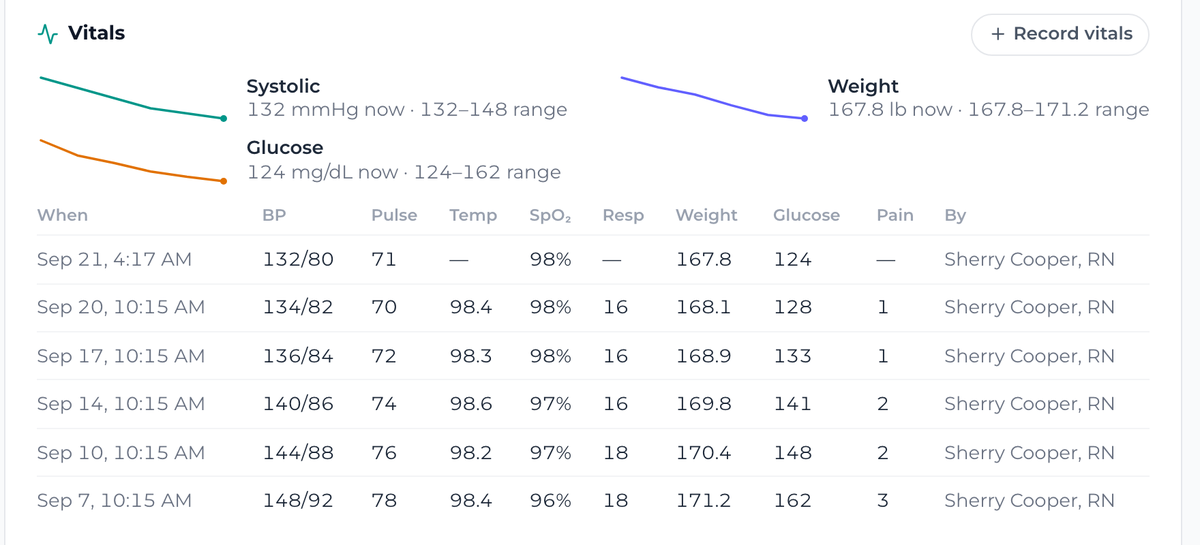
Given, held, refused, missed. One tap, on the record.
The medication administration record is the thing a nursing practice is audited on, and it is usually a separate piece of paper that somebody transcribes at the end of a shift. Here it is a row on the chart, recorded when it happens, with the name of the person who did it.
- Every active medication with its dose and its schedule.
- Given, held, refused or missed, recorded in one tap.
- Who gave it and at what time, written down as it happens.
- History behind every line, so a pattern of refusals is visible rather than remembered.
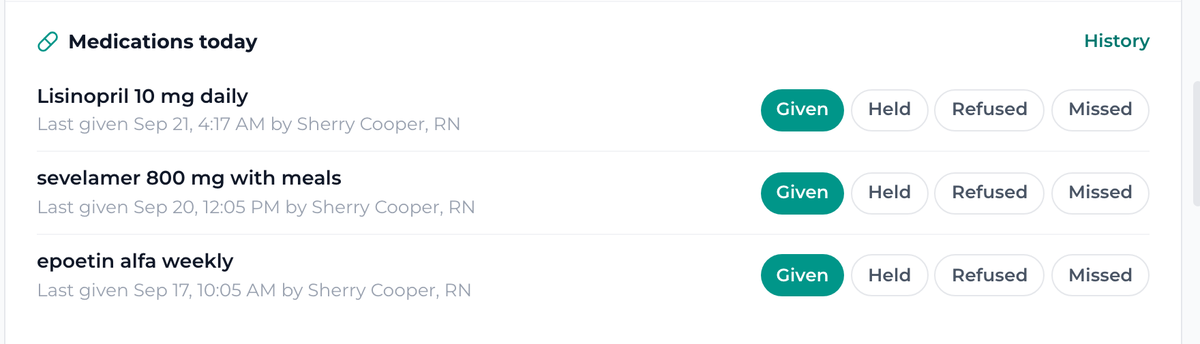
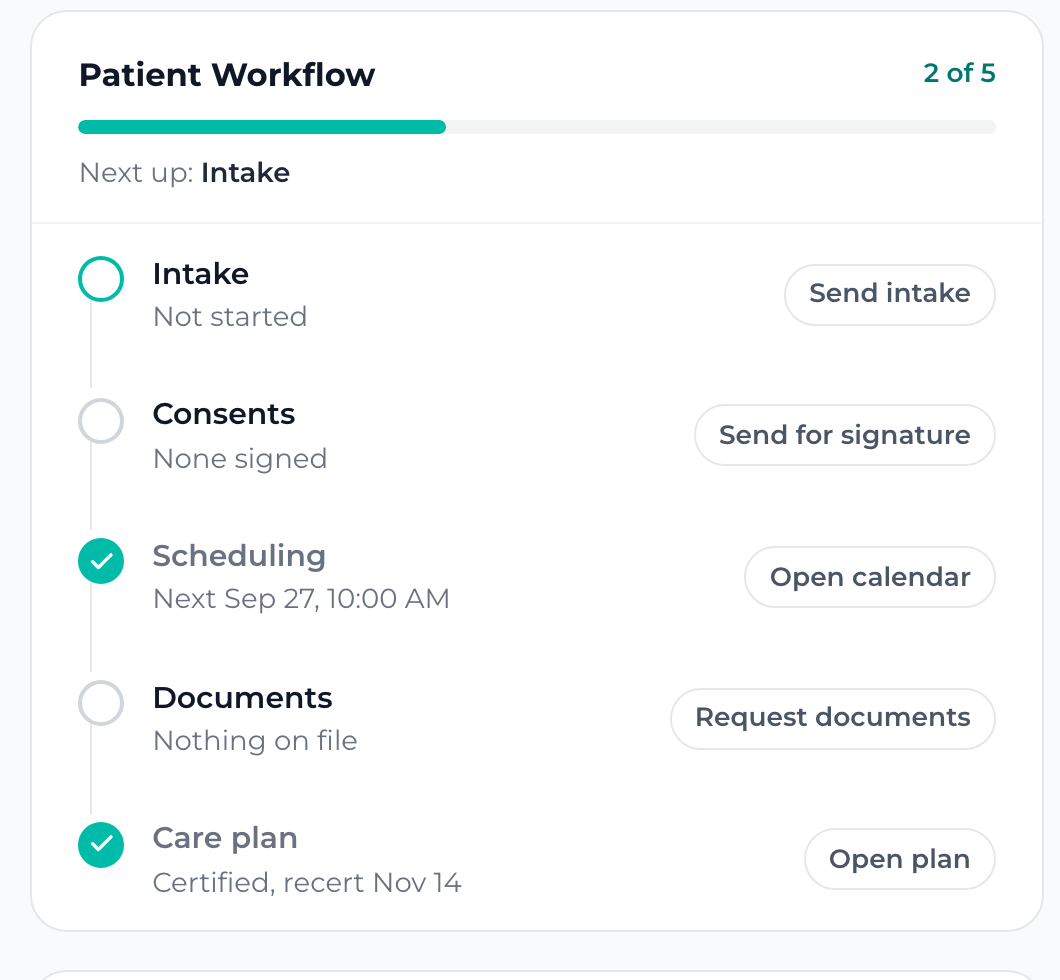
Two of five, and the button for the next one.
Every patient is somewhere between the first call and a signed care plan, and the usual answer to where is a person who remembers. The rail carries the answer: what is done, what is next, and the action that moves it, sitting on the step itself.
- Intake, consents, scheduling, documents and the care plan, in order.
- The next action sits on the step, so nobody has to go looking for the button.
- Care plan certification with the recertification date carried forward.
- Two of five reads at a glance, across a caseload, without opening anybody.
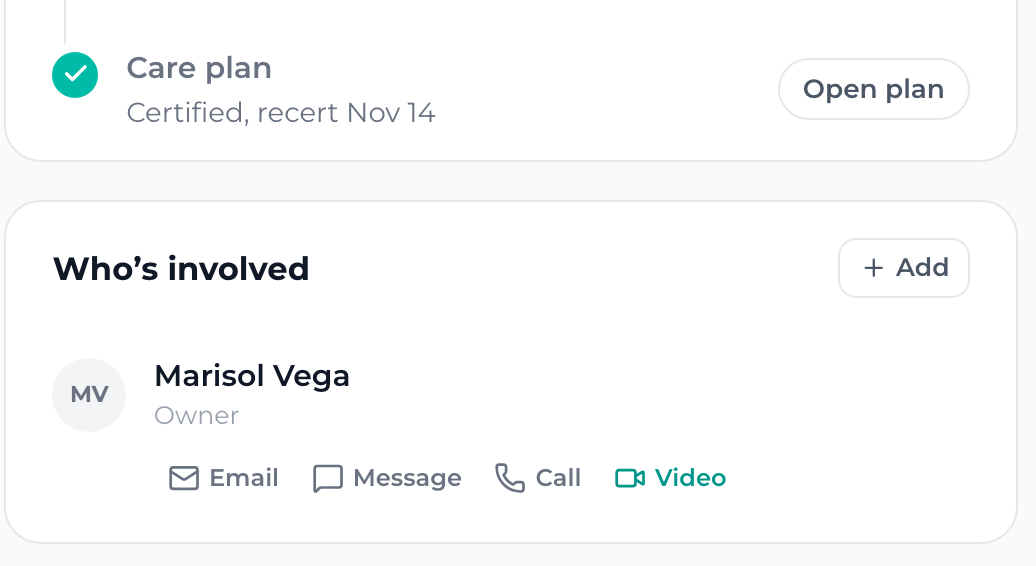
The next visit, and what is still on paper.
The bottom of the chart is the part that decides whether a morning runs: when they are next in, and whether the consent ever came back. Both sit on the record itself rather than in somebody’s head or a folder on a shared drive.

Your forms, your front end, your documents.
The three places a practice leaks time are the form somebody re-keys, the booking that lives in a different tool, and the packet nobody can find. These are not three integrations. They are the same record, seen from the outside.
The intake form on your own site lands on a patient record.
You get an intake link on your own domain. Somebody fills it in on your website, at a referral partner, or on a phone in a waiting room, and a record opens here with what they typed already on it. Nothing to re-key from an inbox at nine at night, and no form service holding your list hostage.
- A public intake key, on your domain, that you can put anywhere.
- The submission becomes a record, not an email about a record.
- Referral source captured on the way in, so you can see who sends you work.
- Every message that follows lands on that same patient, without anyone filing it.
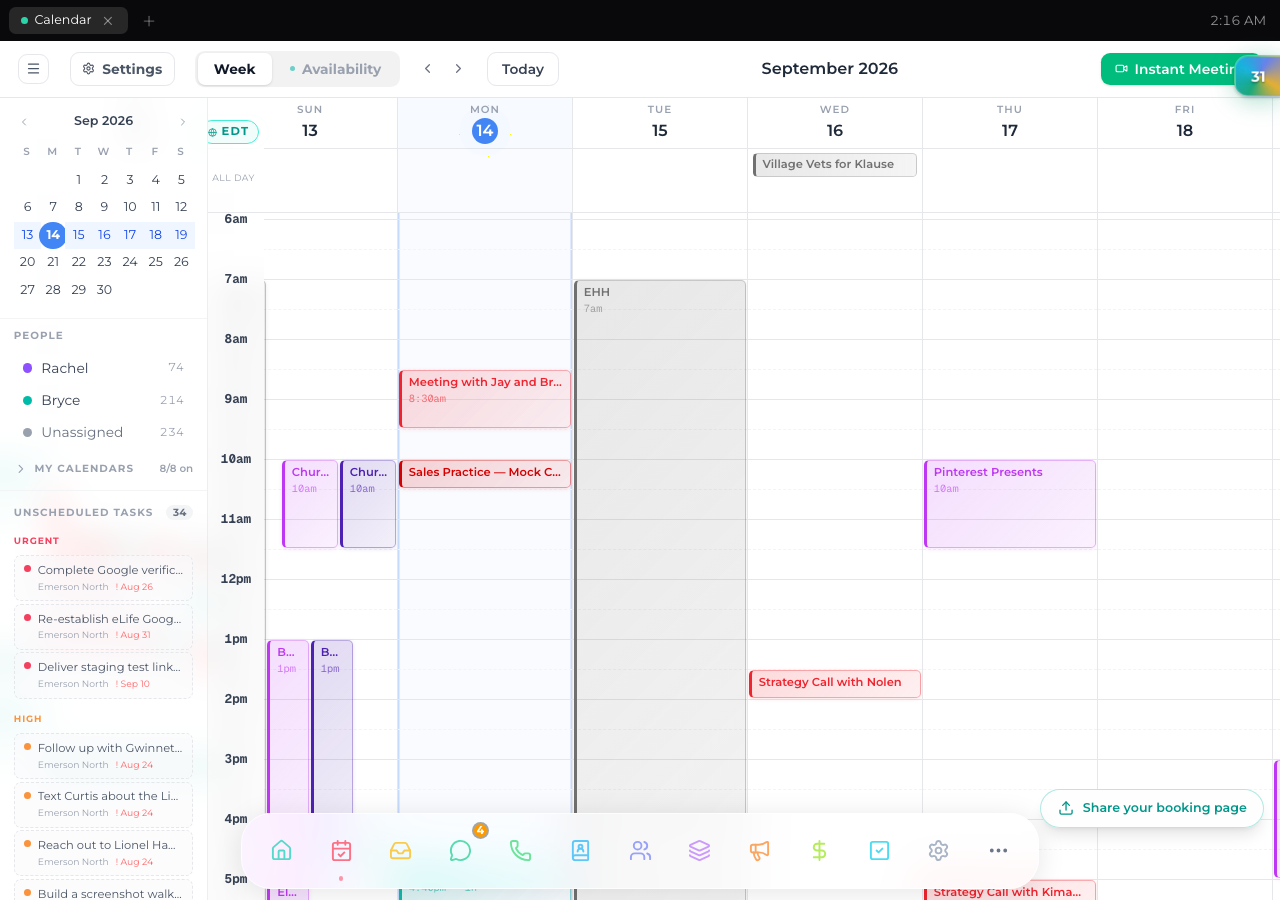
The booking page and the landing pages are the same system.
Your booking page runs on your own domain, with your availability and the right clinician. A booking is not only a time, it is the person whose Thursday it sits on, so the question of who is actually covering the afternoon has one answer rather than three answers and a text thread. Campaign pages are hosted here too.
- A booking page on your domain, round-robin across your people.
- Every booking attached to the clinician who is covering it.
- Hosted landing pages for a recall, a screening drive or a new service.
- Reminders sent, and the follow-up drafted the same afternoon.
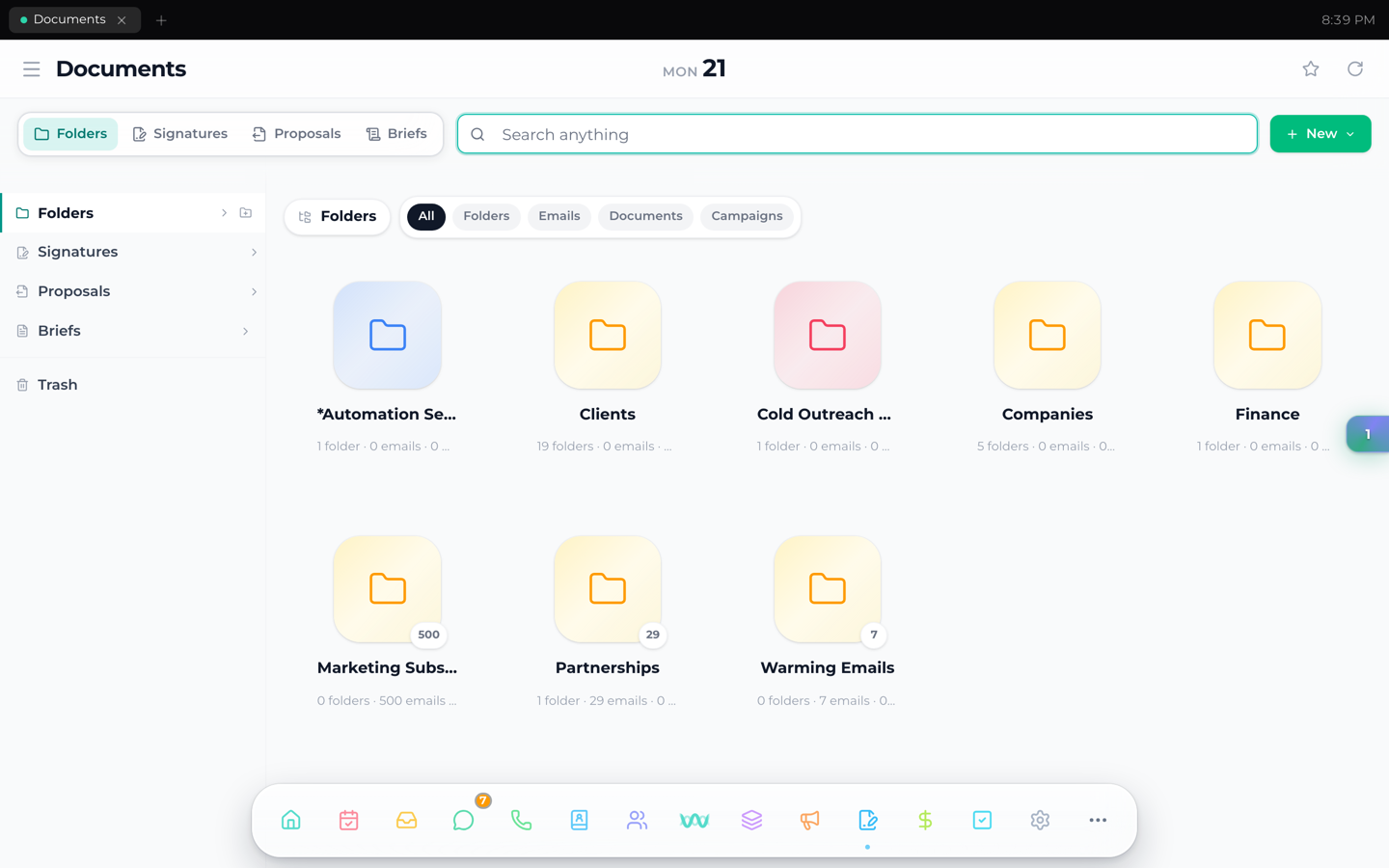
The packet, the signatures, and who you are still waiting on.
Intake is not a form, it is a packet. The record shows which documents are signed and which are still out, on one line, per patient, without anybody opening a folder to find out. Agreements are drafted, sent and signed here, on your own letterhead, with no separate e-signature bill.
- A universal folder per patient, shared with the family where you choose.
- Consents and agreements signed in place, on your letterhead.
- One line per patient: signed, still out, or nothing sent at all.
- The two filters that carry a practice: who owes you paper, and who was never sent any.
Say a name. Get everything.
Emerson is the relationship CRM that gives your firm a shared memory. Connected emails, calls, meetings, documents and payments come together around each client, so your team knows what happened, what was promised and what needs to happen next. None of that is specific to medicine, which is exactly why it works for a practice: the business around the care is the same shape as the business around a matter or a deal, and it has been running for months for firms in law, capital and professional services.
The practice here. The chart stays there.
A patient’s name on a roster can be protected health information all by itself, so until the BAA is in place the clinical side lives in your EMR and Emerson runs everything around it. That is a clean division, and it is the one most practices already want.
Your EMR stays your EMR
Clinical records stay there too
The practice runs here
The practice where the owner is still the system.
When a referral partner calls, the team should know who last spoke, what was agreed and who owns the next action. Start with a non-PHI workflow where shared context can improve continuity. We will review the boundary before connecting information.
The five questions, answered straight.
Does it replace our EMR?
No, and it is not trying to. Your EMR is the chart of record and should stay that way. Emerson runs the practice around it: who enquired, what they were sent, what they signed, when they are coming in, which clinician is covering it and what is owed. Most practices already keep those two things apart in their heads. This gives the second half a home.
Where do clinical records live in the meantime?
In your EMR, where they already are. Emerson does not carry a BAA yet, so the clinical side stays there and Emerson runs everything around it. That division is clean, and it is the one most practices want anyway.
Is the chart on this page real?
Every screenshot on this page is one patient record in the product, photographed in a single pass. Marisol Vega is a demonstration patient we made up, and everything on her chart, the fields, the trend lines, the vitals table and the medication record, is a working product demonstration. This does not establish clinical or HIPAA readiness; real patient information must stay out of Emerson until the required agreement and controls are in place.
How do our patients get in?
We can demonstrate imports and intake using synthetic records. Do not import real patient lists or connect patient communications while a BAA and the required controls are not in place. We review permissible administrative uses with your team before setup.
What does a practice pay?
Emerson core is $1,000/month with unlimited people, ten connected mailboxes and a 12-month term. Additional mailboxes cost $75/month each. Pricing does not imply approval for PHI or clinical use; the suitability and compliance review comes first.